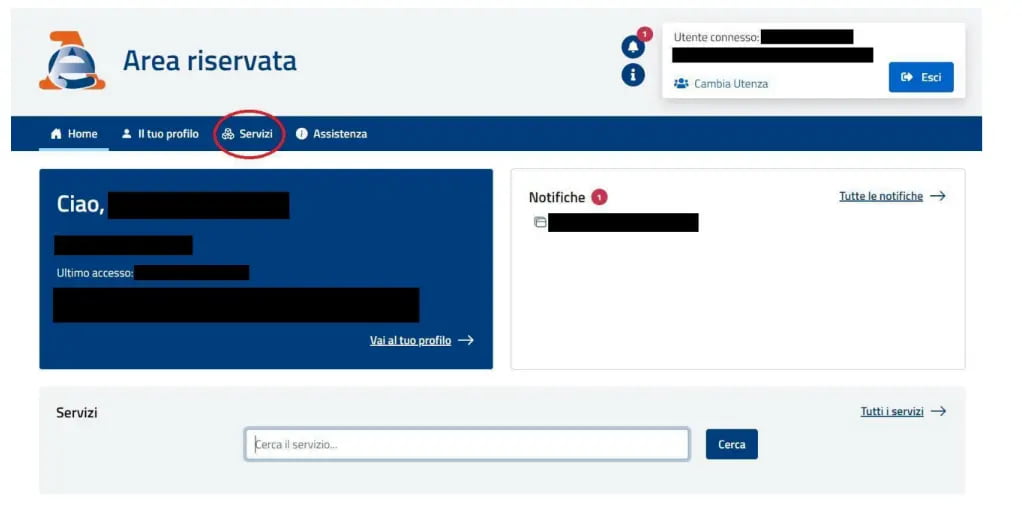
First, you’ll need to log in to the reserved area of the Italian Revenue Agency (Agenzia delle Entrate) using your SPID (or alternatively CIE or CNS). Once you’ve accessed the portal, you’ll see the screen below, from which you can enter the “SERVIZI” section.
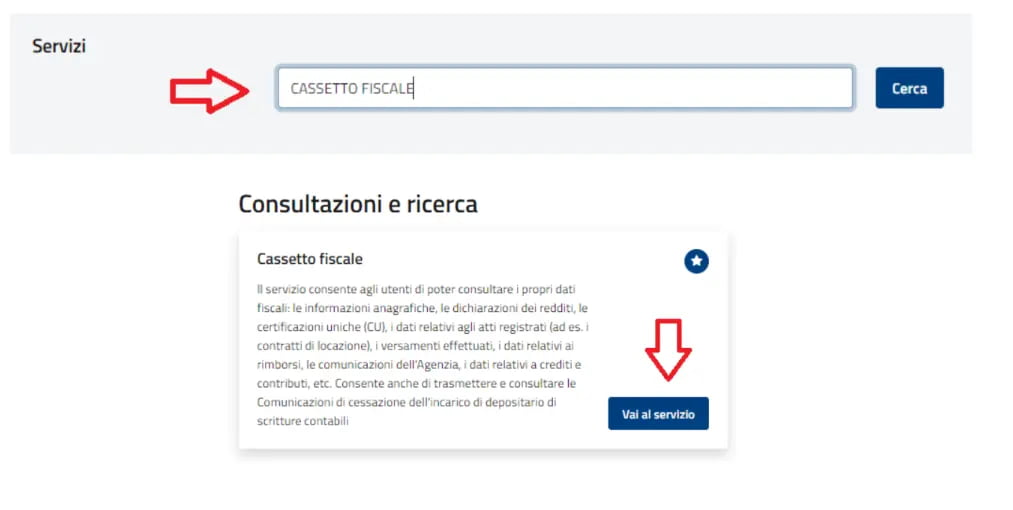
Here you’ll be able to access a range of services offered by the Agency’s portal, such as the Tax Box (Cassetto Fiscale), Cadastral Consultations, and others. To view your personal details, simply search for “Cassetto Fiscale” and click on "Vai al servizio" ("Go to service")
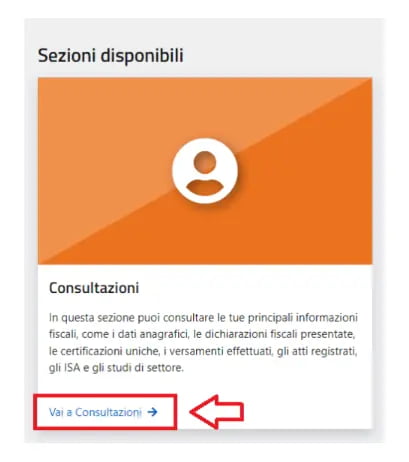
Now, navigate to the “CONSULTAZIONI” ("Consultations") section, then click on "Vai a Consultazioni" ("Go to Consultations"):
You are now in your Tax Box, where you can find all information and documents related to your Italian tax profile (tax registry data, income tax returns/730, Single Certifications, F24 payments, registration of rental and/or sale contracts, etc.).
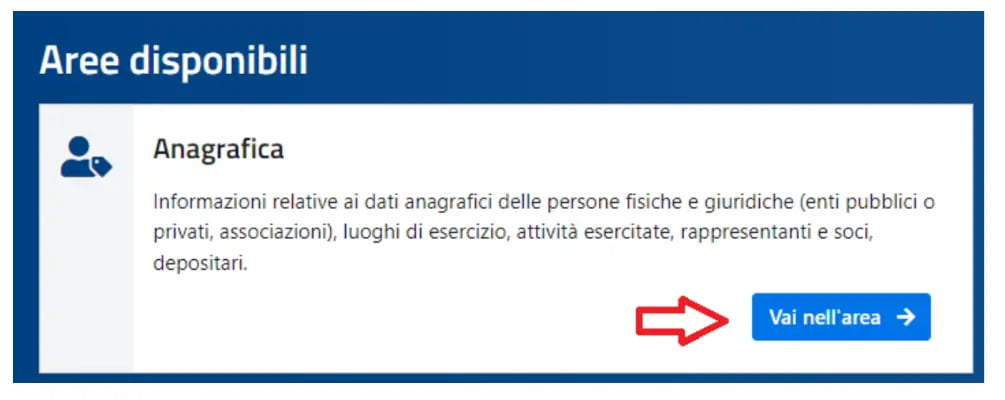
To find your registry data, locate the “ANAGRAFICA” section and click on "Vai nell'area" (“Go to the area”), as shown in the image below.
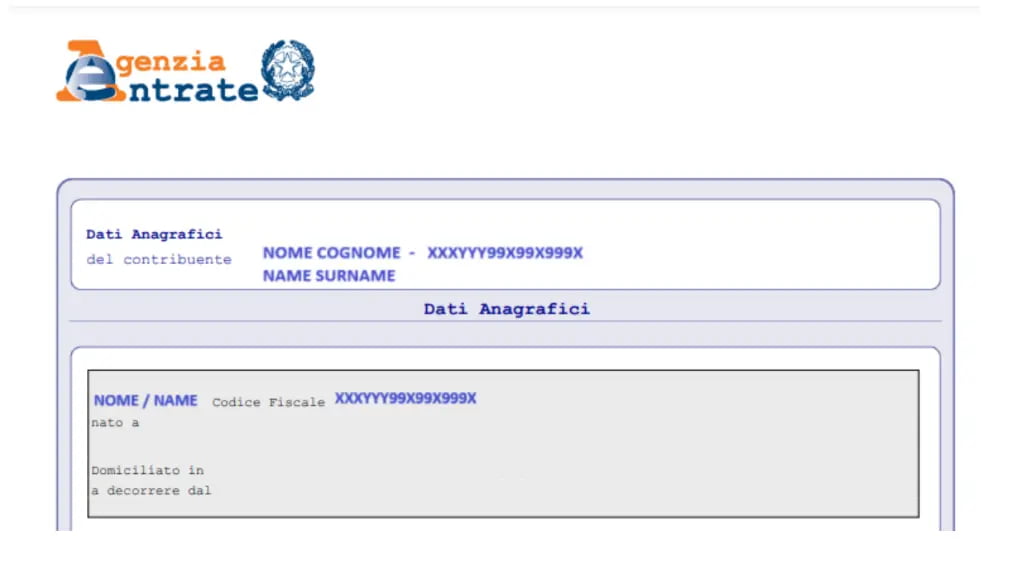
You’ll then have access to a page containing all the data registered with the Agency, such as your tax domicile, your VAT number and its details — all downloadable in PDF format.
If more than one ATECO code is assigned to your VAT number, you’ll also see the section “Altre attività” (“Other activities”).
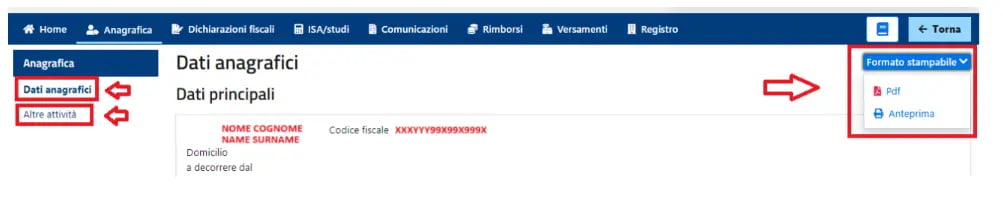
This way, you’ll be able to download all the information you need in PDF format. Here's an example of the files you can download: