
Last updated: September 16, 2026
If you already have a VAT number when you join Xolo, we'll ask you for your INPS registration receipt (ricevuta di iscrizione). You can download it yourself from the INPS portal in a few minutes — here's how.
- Log in to the reserved area of myINPS using your SPID (or alternatively CNS).
- In the search bar, type the name of the service that matches your activity:
- "freelance professionals registration" — if you're a freelancer registered with the Gestione Separata
- "iscrizione gestione commercianti" — if you're registered with the Gestione Artigiani or the Gestione Commercianti. This service only exists in Italian, so search for it using its Italian name.
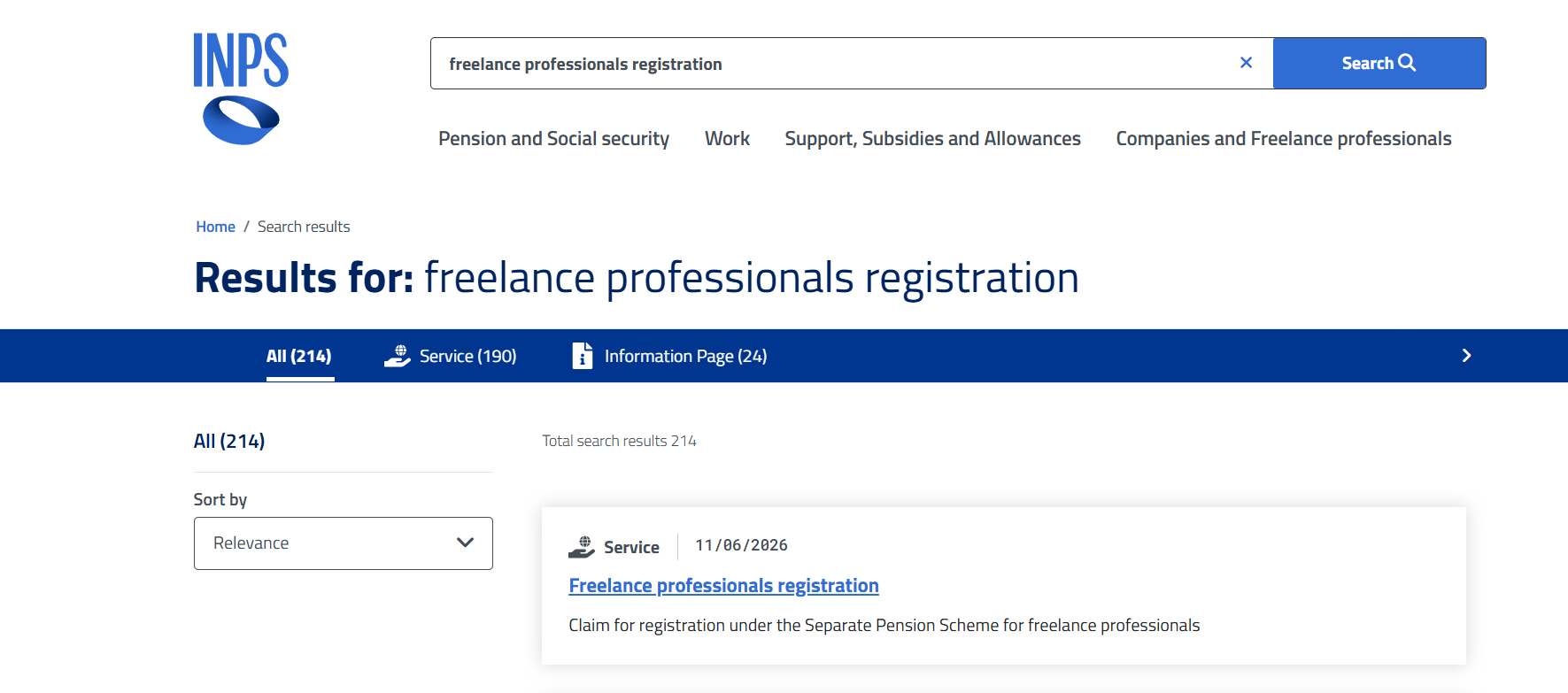
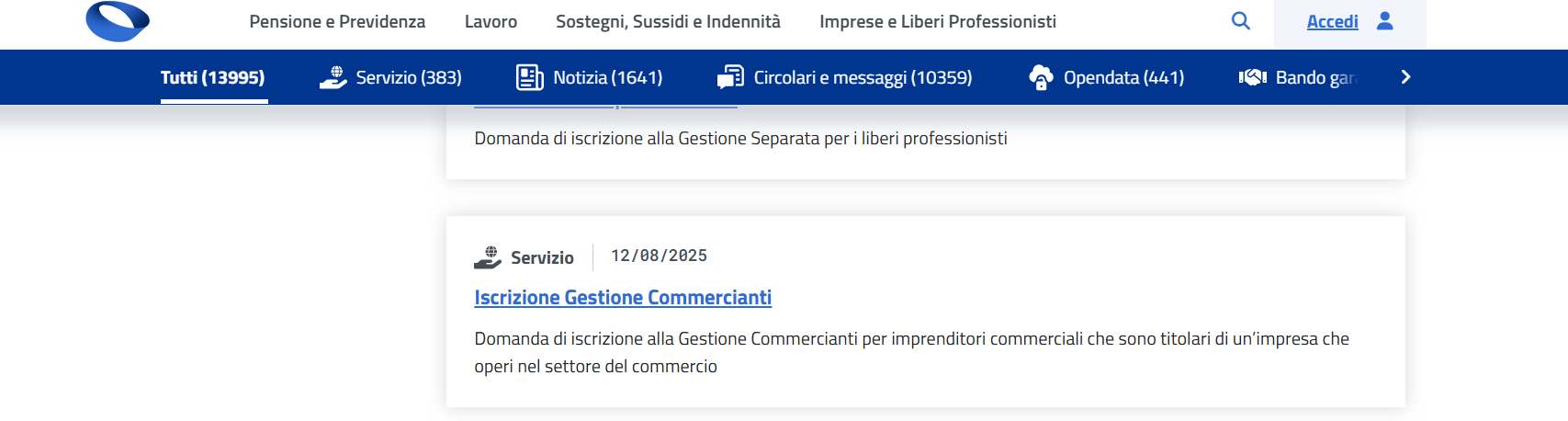
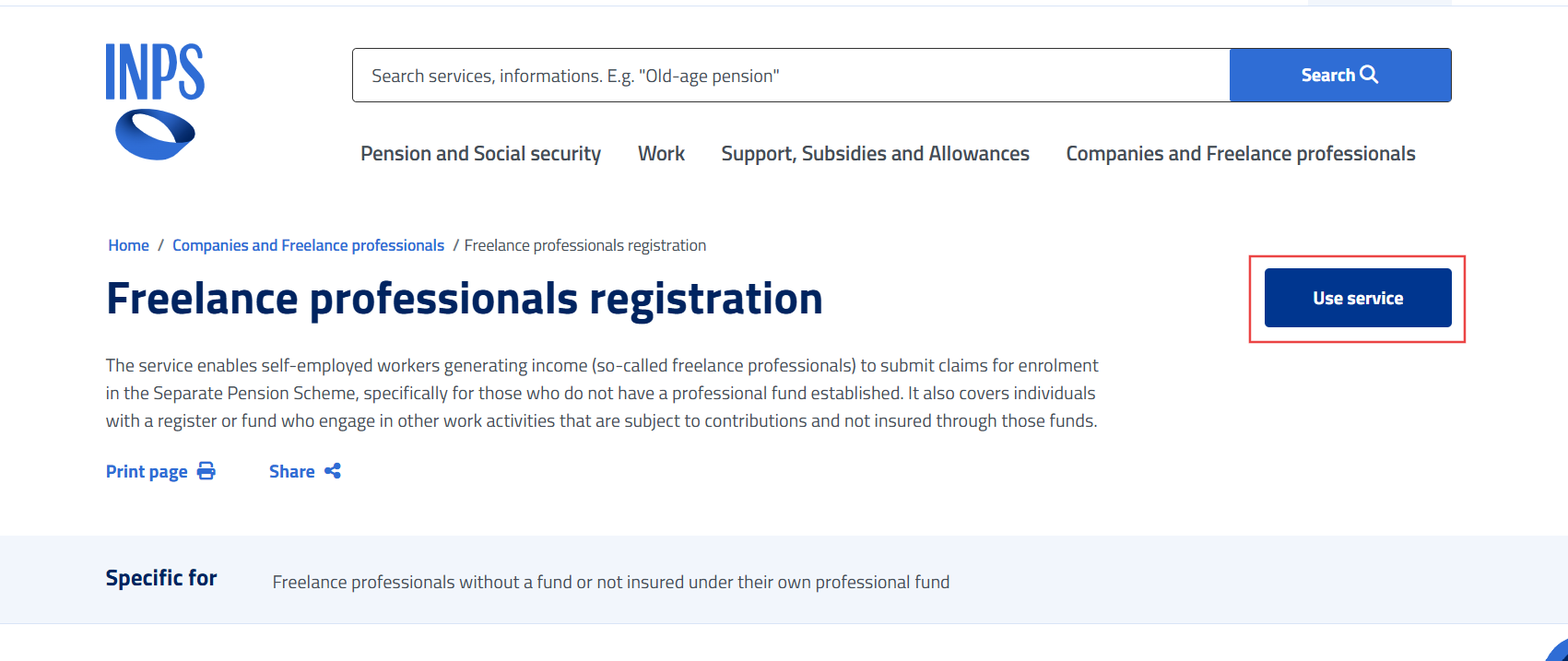
- Select the correct result, then click "Use service" ("Utilizza il servizio" on the Italian-only traders page).
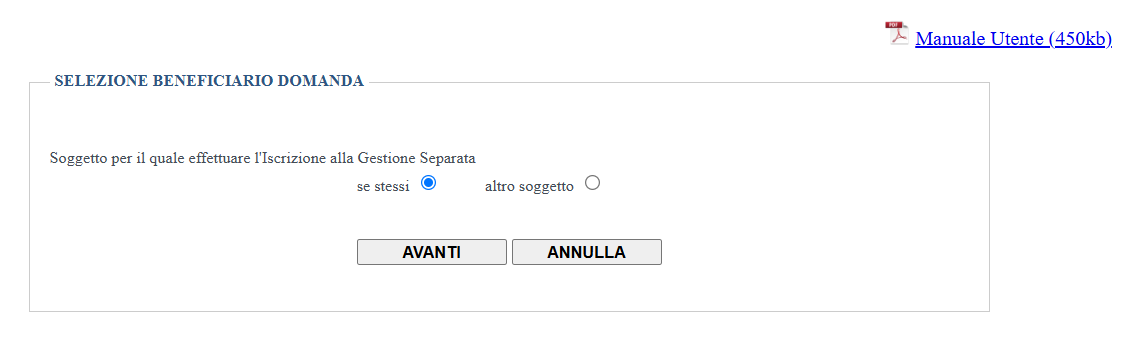
- From this point on the service is only available in Italian. Under "Selezione beneficiario domanda" ("Select the applicant"), choose "se stessi" ("yourself") and click "AVANTI" ("Next").
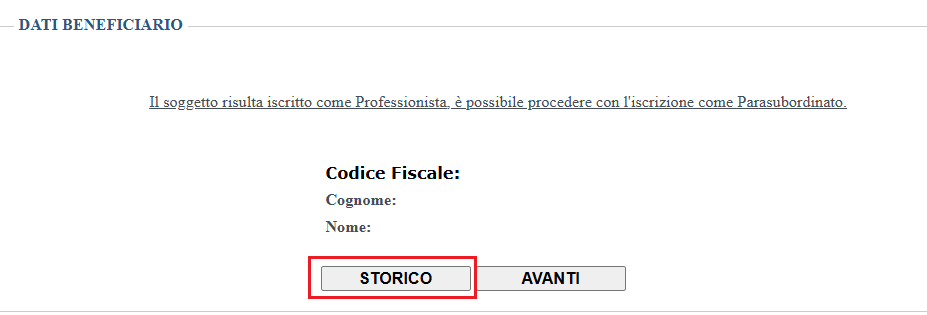
- Your personal details and codice fiscale will appear below. Click "STORICO" ("History").
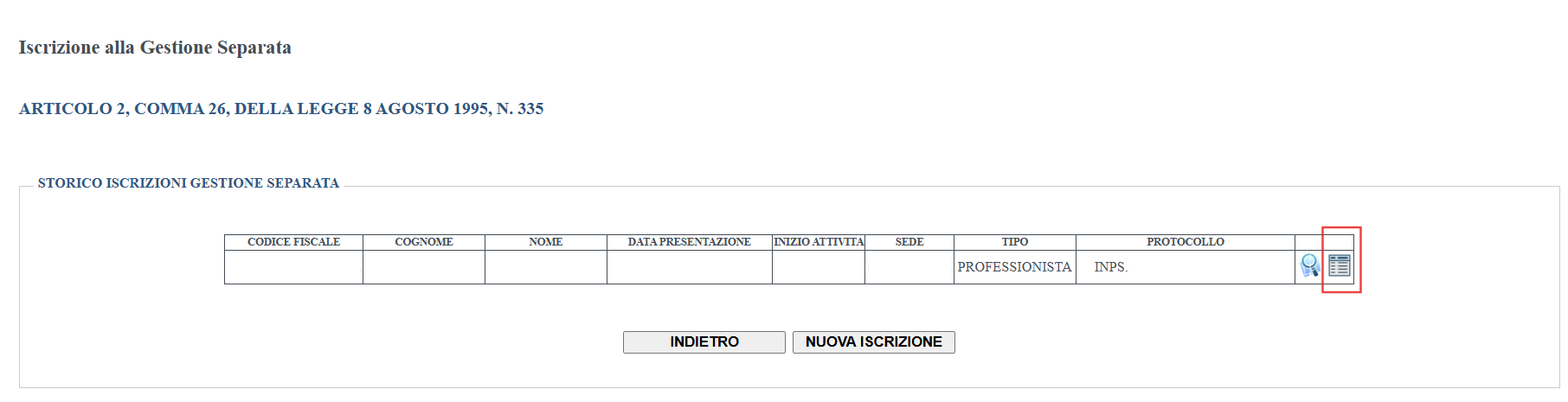
- If you are registered, you'll see a table with your registration. To download it, click the small sheet icon on the right, "ricevuta iscrizione" ("registration receipt").
Save the PDF and upload it to Xolo to complete your registration.
If you are also registered with the Chamber of Commerce, you'll need to upload your Visura Storica as well. You can download it easily at this link: https://impresa.italia.it/cadi/app/login
Did this answer your question?